
14.04.01 Updated NZQA Qual Check

If you deliver approved NZQCF Qualifications or Micro-Credentials, here’s a brief guide on how to generate a QE1 batch ready for submission to NZQA.

Pre requisites:

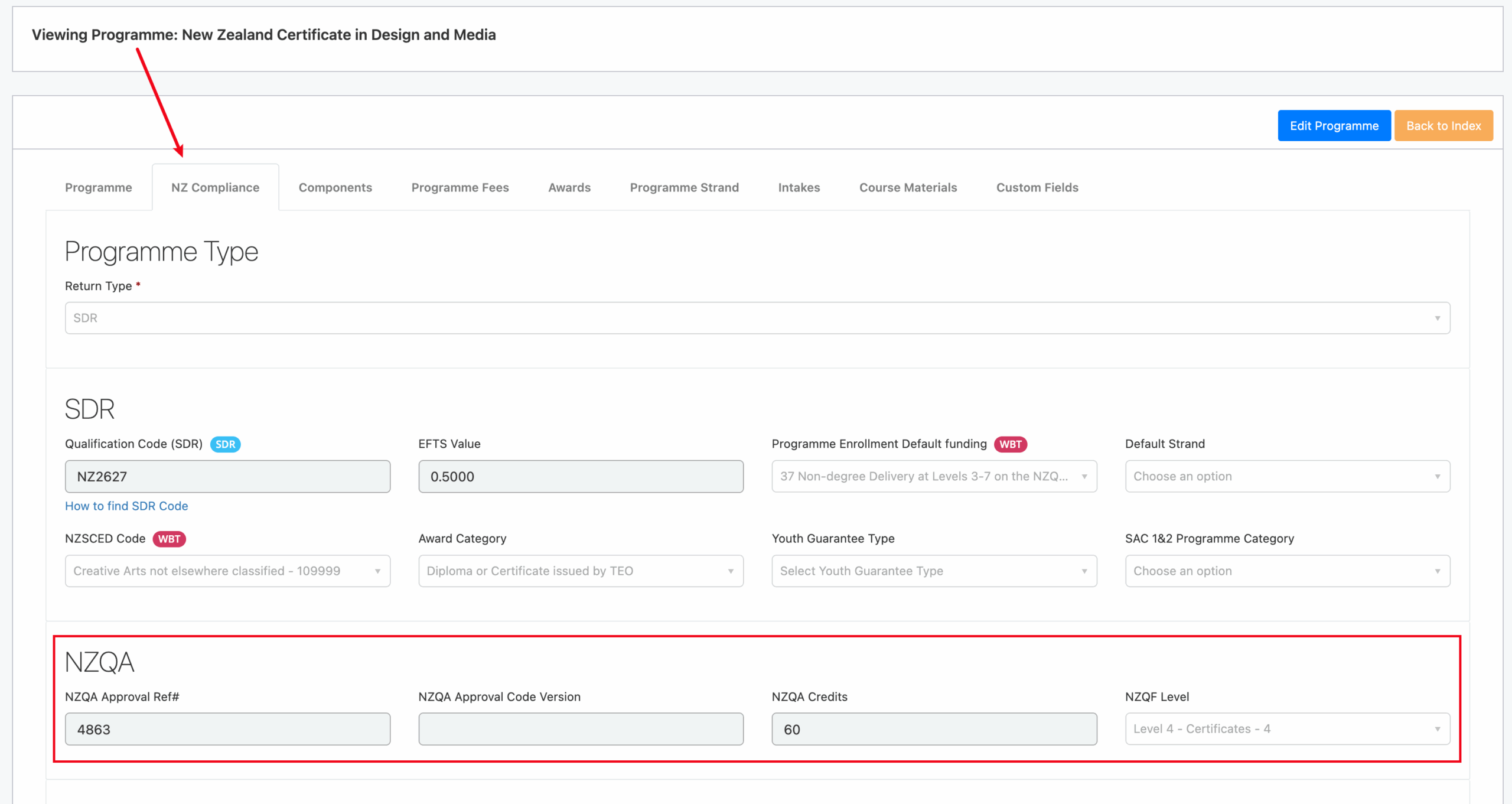
Programme: Under NZ Compliance tab, “NZQA” section must be filled out accurately.
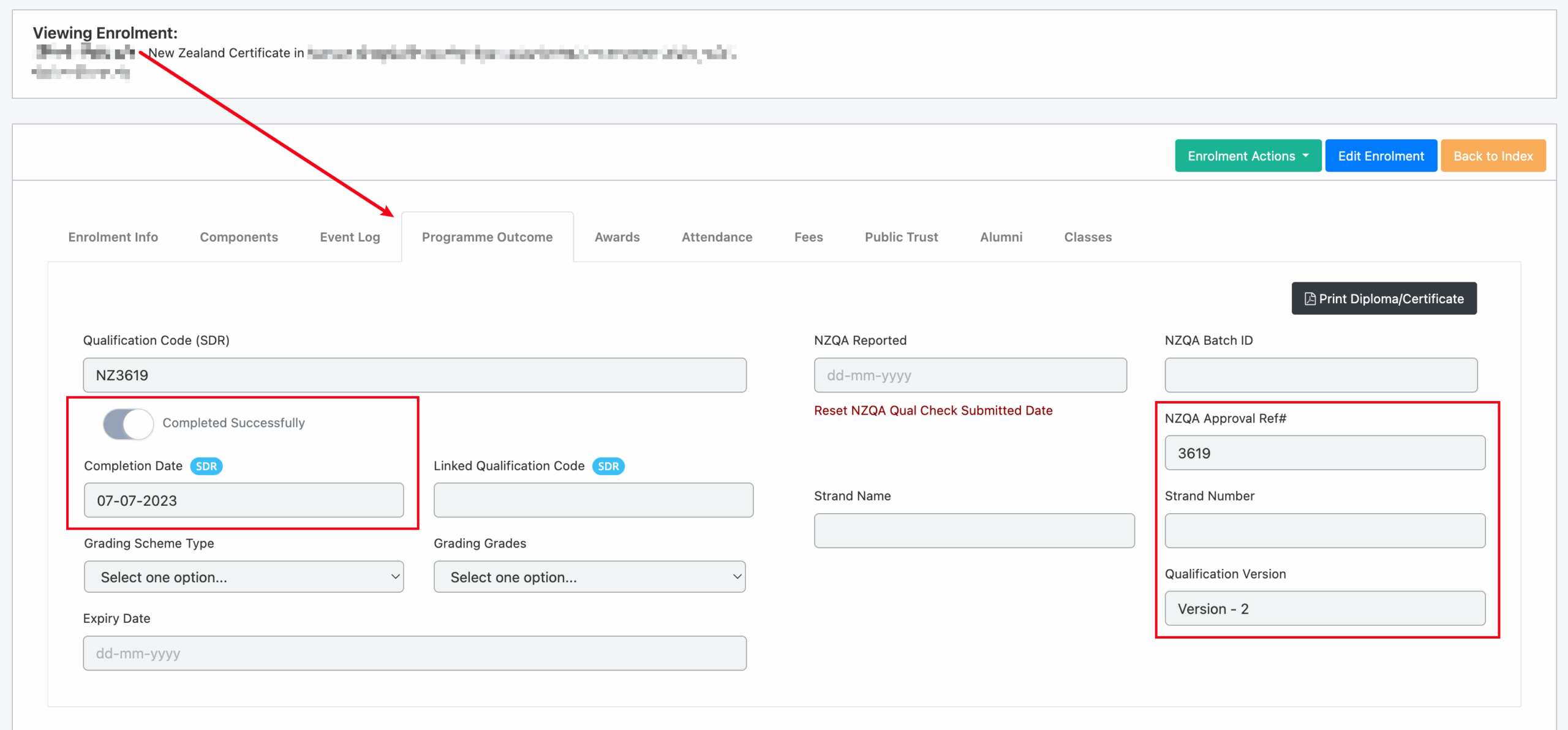
Enrolment: When the enrolment status is changed to “Finished and Completed”, the completion date is populated on the enrolment Programme Outcome tab. The NZQA qualification details are inherited from the programme settings.
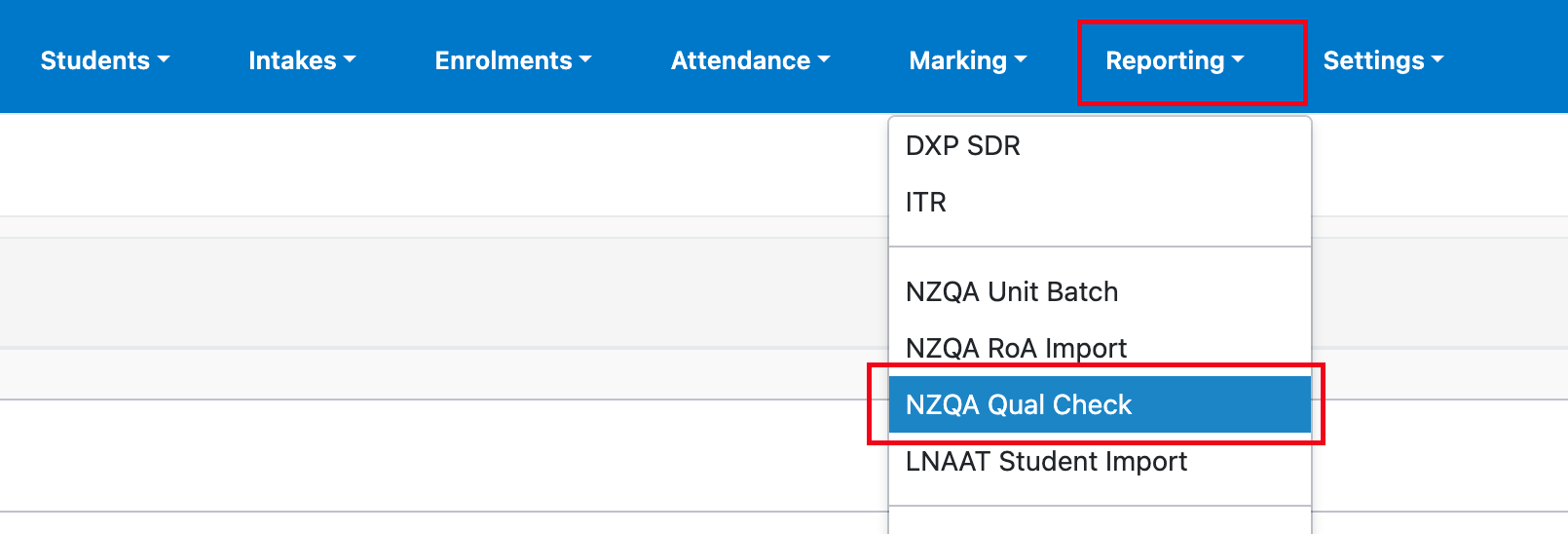
To generate a QE1 Batch, navigate to Reporting -> NZQA Qual Check
You can select the qual check type before generating the batch. The ‘Status Check Only’ will not mark the enrolments as submitted to NZQA.
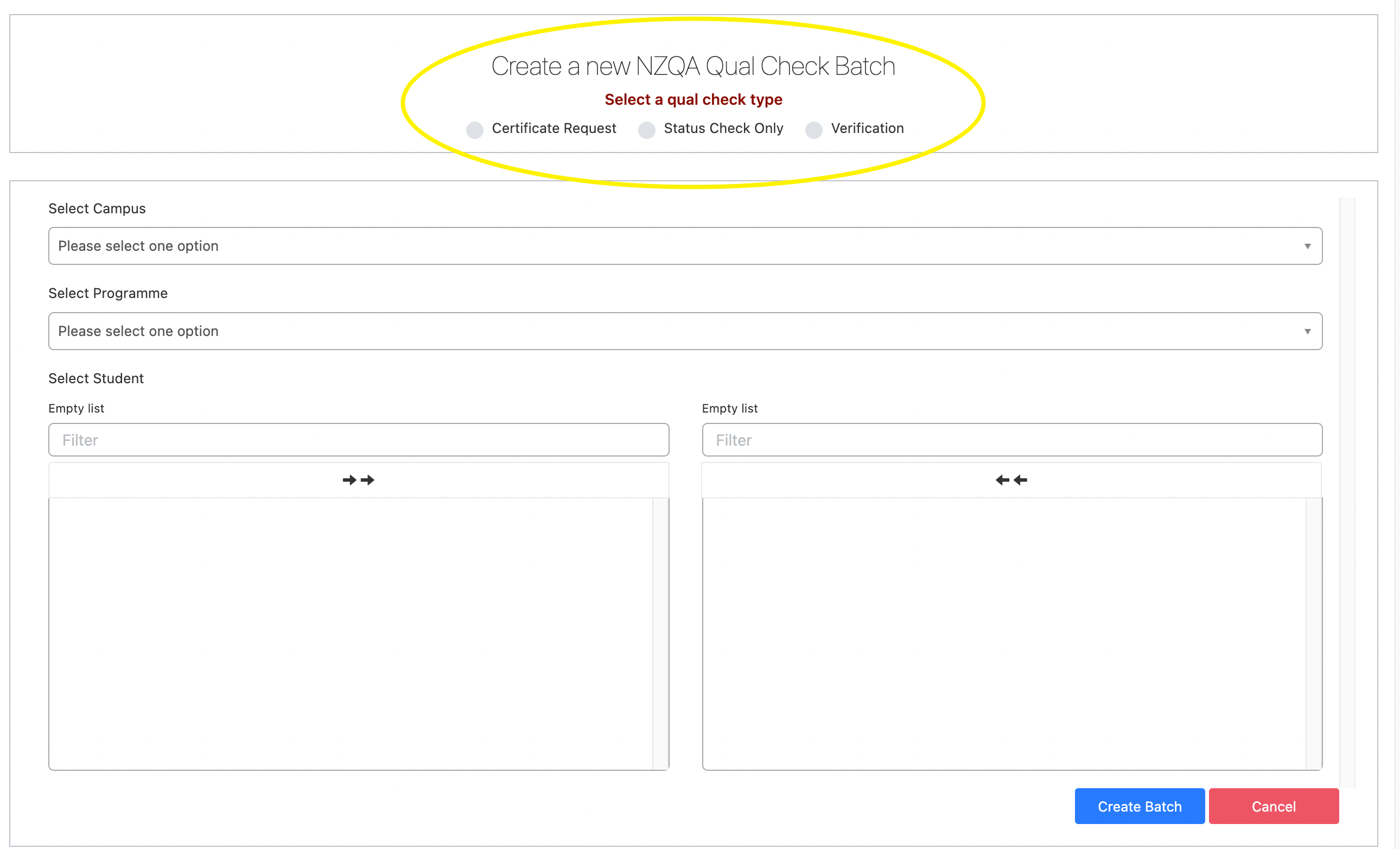
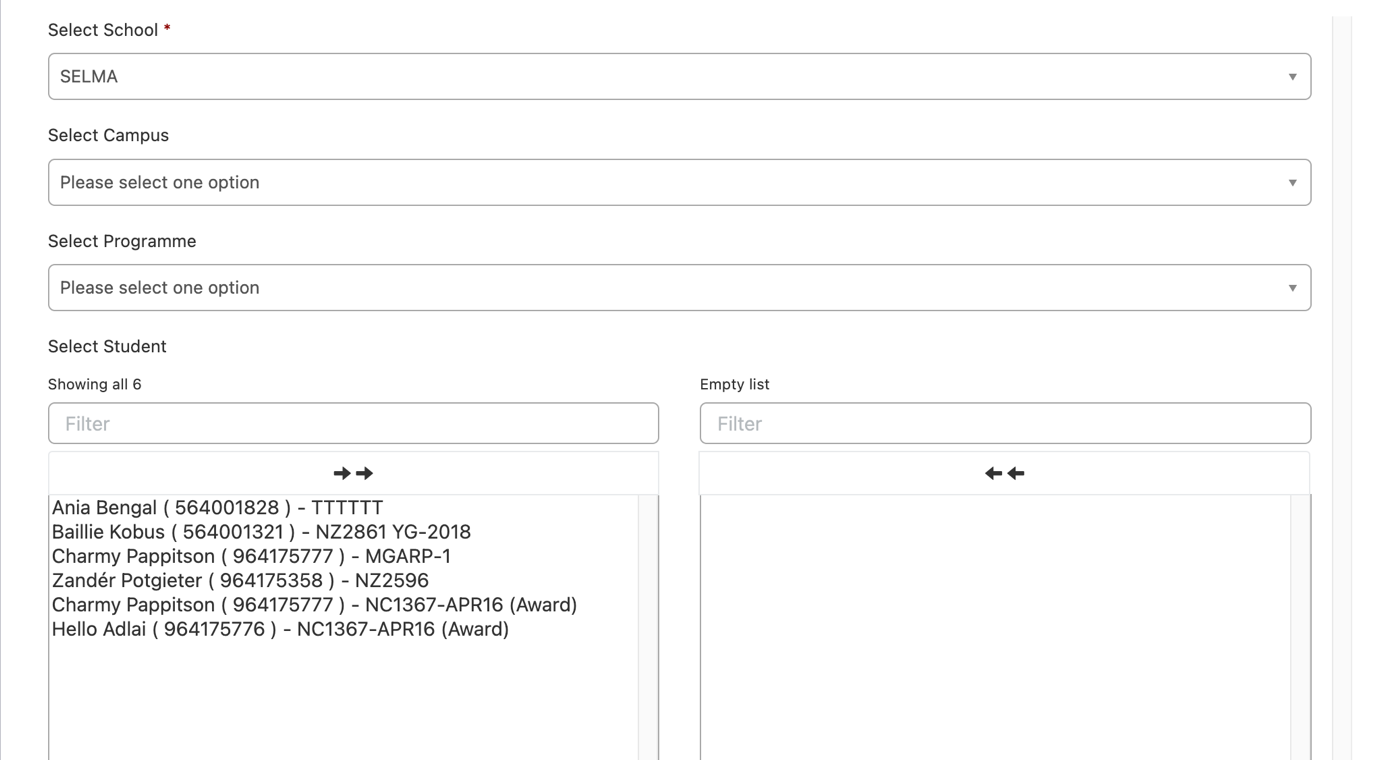
Select the relevant students/programme codes via the filter. If a student has an award that is ready to be reported, it will be tagged as an award.
image

When a batch is marked as ‘Submitted’ and a Qualification or Award is officially reported to NZQA notes will appear on the enrolment log.

image

Related Articles

14.05.04 Validate Students for ITR

Validate students for ITR You can either create a new student or open an existing student and set the “Validate data for” option to ITR. With this validation on, SELMA will check if all required data on the student is recorded before saving the record. Below screenshot shows the error message with detailed instructions of …

14.04 NZQA Reporting

NZQA Reporting  Navigate to Reporting -> “NZQA Unit Batch” or “NZQA RoA Import” or “NZQA Qual Check” In SELMA, you can import your accredited unit standards to setup your curriculum and report completed unit standards of your learners to NZQA You can send Qual Check requests to NZQA for your students to get NZQA to …

14.05.11 Withdrawing TA / Enrolment

Withdraw Training Agreement When the learner ceases training with the employer and does not intend to continue training at any time in the future, the training agreement should be withdrawn. Withdrawing the training agreement will cause all ACTIVE, GRACE, HOLD or PENDING programme enrolments to be withdrawn and the training agreement status set to FINISHED. …

14.05.07 Enrol a Student

In SELMA navigate to Enrolments -> Enrol Student(s) On the enrolment screen, select the intake you would like to enrol learners into. If the intake funding is set to NZA & IT, an extra drop down will show you for you to set the fund for the specific student you are enrolling (Please select Enrolment …