
14.05.10 Complete ITR Enrolment

The ITR determines whether a programme enrolment is to be COMPLETED or not. This process is done on a daily basis through the ITR completions service. It runs at approximately 5am each morning.

ITR enrolment cannot be completed in SELMA until is completed in ITR.

Once a student has achieved all components in an enrolment, you can use the Fetch enrolment details function to get the information sitting in the ITR:
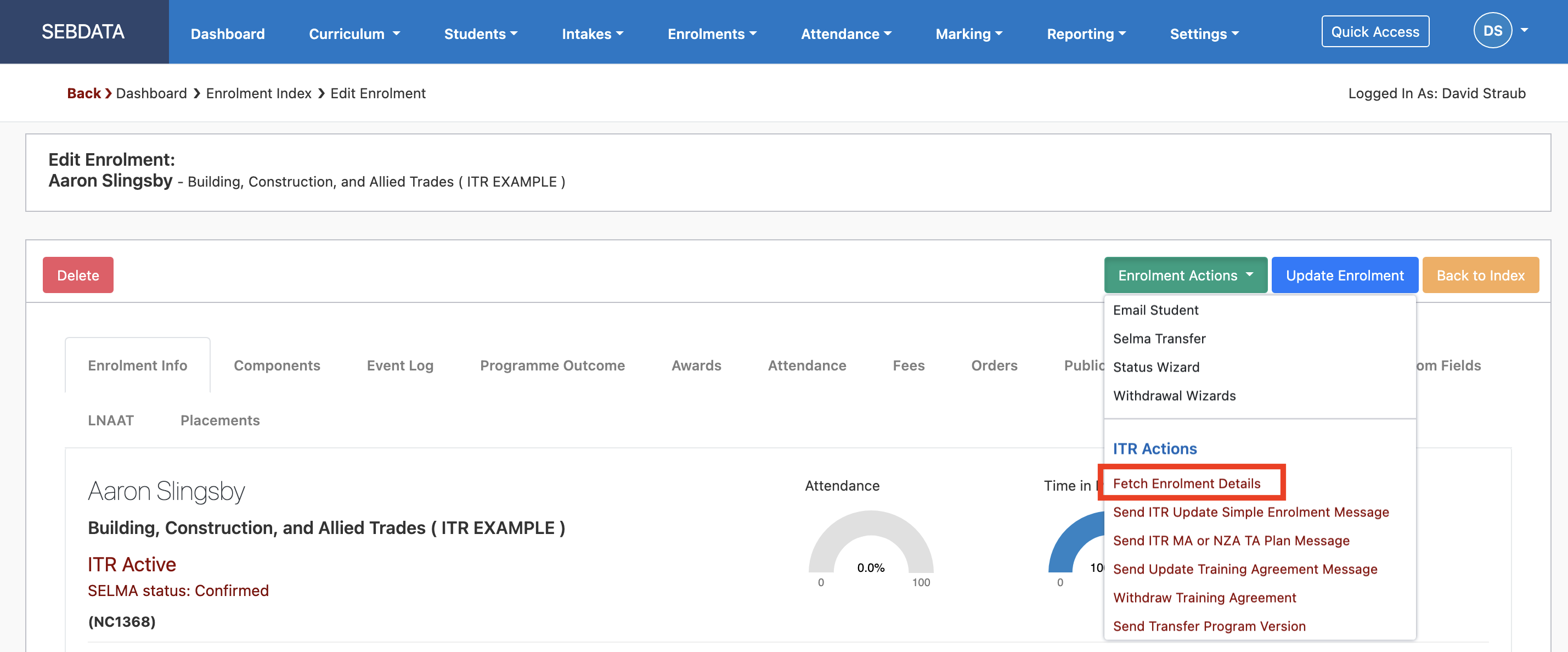
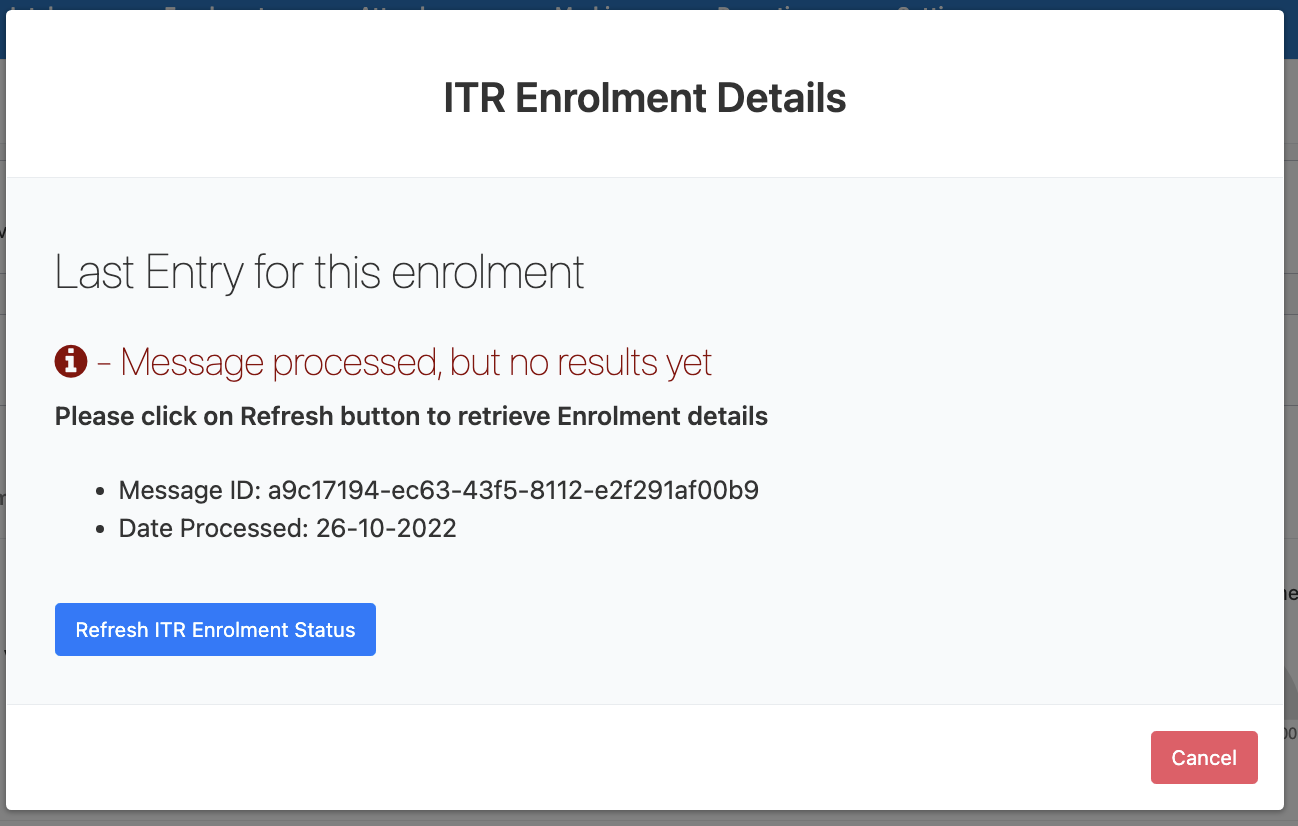
A pop up will open and you can trigger the fetch by clicking “Fetch enrolment details”, the button will then change to “Refresh ITR Enrolment Status”. It can take up to 15 minutes for the data to come through, you can check later on by clicking the “Refresh ITR Enrolment Status” button:
Graphical user interface, text, application, Teams

Description automatically generated

If not all components are complete, it will show the status of the enrolment and all components.

If the enrolment is in fact complete, you can now update the enrolment and SELMA will complete everything correctly. No further reporting is required, and the enrolment is concluded.

Related Articles

14.01 SDR in SELMA

SDR in SELMA To extract an SDR, go to Reporting -> SDR -> Select the correct SDR date and download it. In some SELMA instances, the files are sent by email as they are too big to be downloaded and processed in a browser session. In these systems, the only option is to send the …

14.04.01 Updated NZQA Qual Check

If you deliver approved NZQCF Qualifications or Micro-Credentials, here’s a brief guide on how to generate a QE1 batch ready for submission to NZQA. Pre requisites: Programme: Under NZ Compliance tab, “NZQA” section must be filled out accurately. Enrolment: When the enrolment status is changed to “Finished and Completed”, the completion date is populated on …

14.05.03 Create Employer

Create Employer and Contacts Before creating students and validating them for the ITR, the organization (employer) and the contact within the organization should be setup. For this, create an organization as usual under Settings -> Organisations and make sure that the Location Authority and the Industry Code are set for the organisation: After that, make …

14.05.13 Record MAC Visit

Record a MAC Visit MAC visits can only be recorded and sent from the students’ enrolment. Go to the Event Log tab and create a new note of type MAC Visit as shown below. This will send a MAC visit message to the ITR upon clicking the “Add Event” button. If you delete the event …